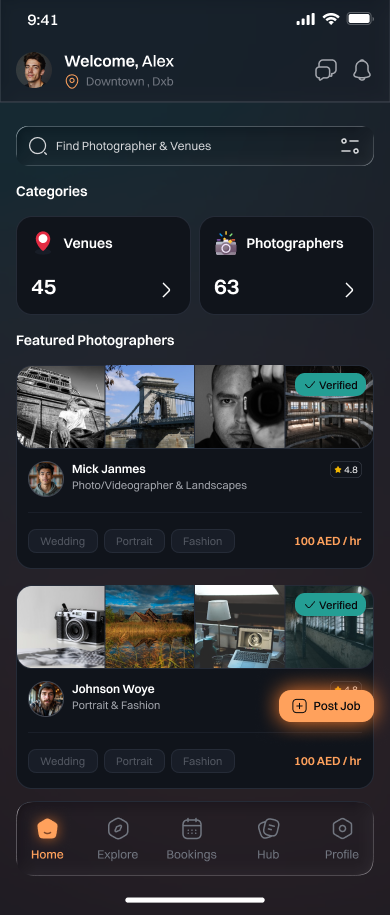
Discover trusted professionals
Browse Visual Creators, service providers and Studio through structured profiles and focused categories.
View mobile experience →
Discover Visual Creators, Studios, and trusted creative professionals. Post your project, receive competitive bids, compare portfolios, manage bookings, and collaborate—all from one seamless platform.


Yaso combines discovery, marketplace workflows and content in one user journey—removing the friction between finding the right professional and completing the booking.
Browse Visual Creators, service providers and Studio through structured profiles and focused categories.
View mobile experience →
Customers define requirements while professionals respond with relevant offers and pricing.
See the workflow →
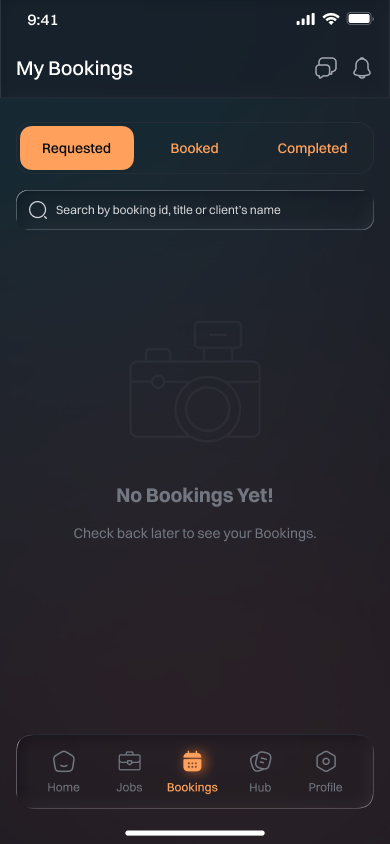
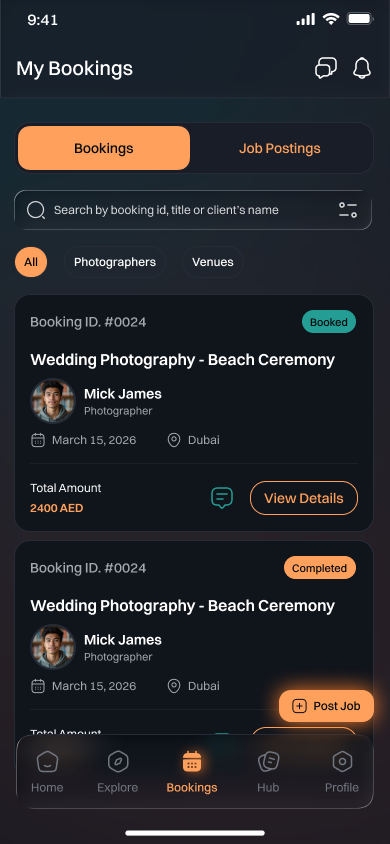
Track requested, booked and completed engagements in one consolidated booking workspace.
Explore bookings →
Keep project communication close to the relevant Project or booking to reduce operational gaps.
Talk to the team →
Discover studios that match your creative vision in just a few clicks. Whether you're planning a photoshoot, video production.
Preview the hub →
Buy and sell creative equipment with ease. Whether you're looking for cameras, lighting, audio gear, or accessories
See notifications →The marketplace is designed to connect clients with top visual creators and help creators find the right opportunities.
Share your project details, timeline, location, budget and requirements.
Review creator profiles, portfolios and proposals to find the best fit.
Confirm, collaborate and manage your project from start to finish.
Present your service, portfolio and availability through a structured professional profile.
Review listed opportunities and submit focused bids aligned with your capacity.
Accept bookings, communicate with customers and manage your pipeline from one place.

Post your project, receive proposals from verified visual creators and hire with confidence.

Find project opportunities, showcase your work and grow your client relationships.
The app brings projects, bookings, proposals, notifications and account access into a simple, dark-mode experience aligned with the Yaso brand.
Use the store links below to direct visitors to the iOS and Android applications. Replace the URLs once the production listings are available.
Customers can discover professionals and Studio, publish Projects, receive bids, manage bookings, communicate and follow updates through notifications.
Professionals can maintain a marketplace presence, browse relevant listed Projects, submit bids and manage accepted bookings within the application.
Yes. All redirect URLs are centralized in assets/js/site-config.js, making future portal, App Store and Google Play updates straightforward.
Yes. They are stored as separate local image assets. Replace any file while retaining its filename, or update the corresponding path in the configuration file.
Use the portal CTA to direct users into the product or connect the enquiry form to your preferred mailbox.